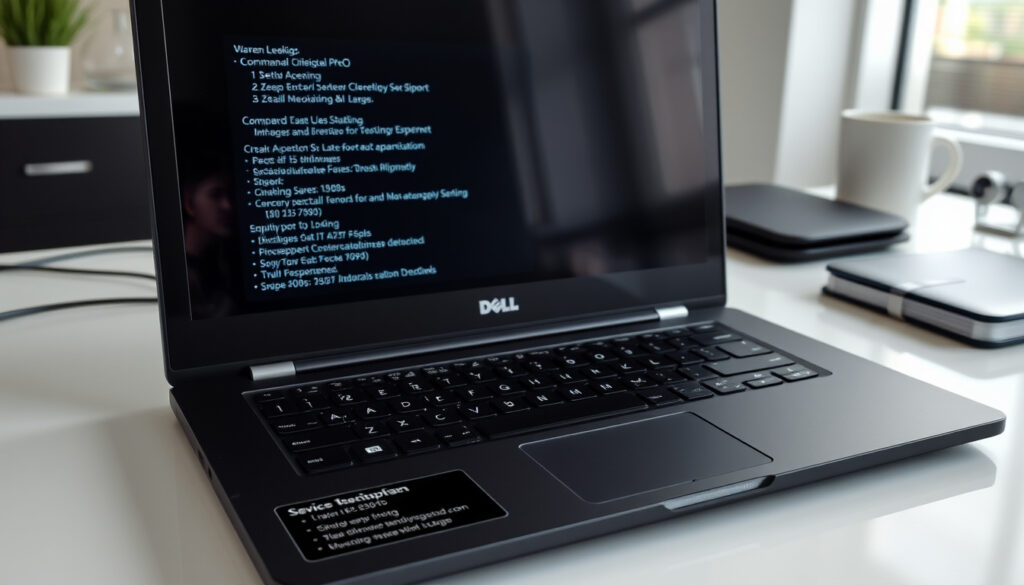
Dell Service Tag Lookup: Warranty, Specs & CMD Guide
Every Dell product has a unique identifier you can’t afford to lose: the Service Tag. Without it, getting personalized help, warranty support, driver downloads, or replacement parts becomes surprisingly difficult.
Service Tag Length: 7 alphanumeric characters · Alternative Code: Express Service Code (EX) · Lookup Methods: Bottom cover, BIOS/UEFI, CMD, PowerShell, SupportAssist · Warranty Check Site: dell.com/support/contractservices · Ireland Support: dell.com/support/home/en-ie
Quick snapshot
- Service Tag is 7 alphanumeric characters (Parts People)
- WMIC disabled in Windows 11 24H2 and newer; use PowerShell instead (Dell Ireland Support)
- Warranty lookup requires no Dell account (M Global Services)
- Phone support numbers vary by region with no centralized global directory
- Specific warranty extension pricing for Ireland not publicly listed
- WMIC deprecation began with Windows 11 24H2 rollout in 2024 (Dell Ireland Support)
- Dell Ireland localized support pages remain ongoing (Dell Ireland Support)
- PowerShell-based lookups will become the standard as WMIC is phased out
- Dell Ireland continues expanding localized warranty and contract services
| Resource | URL |
|---|---|
| Official Site | dell.com/support/home/en-ie |
| Locate Guide | dell.com/support/contents/en-ie/category/product-support/self-support-knowledgebase/locate-service-tag |
| Warranty Check | dell.com/support/contractservices/en-us |
| Error Troubleshooting | dell.com/support/kbdoc/en-ie/000196860/service-tag-search-null-results |
| Parts Lookup | dell.com/en-us/shop/partsforyourdell |
Dell Service Tag decoder
A Dell Service Tag decoder is a lookup tool that takes your Service Tag and returns detailed information about your hardware configuration, warranty status, and service history. Entering your Service Tag at dell.com/support unlocks access to drivers, manuals, support history, and current coverage options—all specific to your exact machine configuration rather than a generic product line.
What it reveals
- Original hardware specifications at time of shipment
- Warranty expiration dates and coverage type
- Available service dispatch options
- Compatible drivers and BIOS updates
- Support case history if prior tickets exist
How to use official decoder
- Navigate to dell.com/support/home/en-ie for Ireland or dell.com/support for other regions
- Enter your 7-character Service Tag in the search field
- Select your device from the results list
- View warranty details, system info, and service options
The pattern here is straightforward: the Service Tag acts as a key, and Dell’s support portal acts as a lock. One code unlocks everything specific to that machine.
Dell service Tag warranty check
Checking your Dell warranty status is free and requires no account—all you need is your Service Tag or the alternative Express Service Code. Dell’s warranty lookup returns your ship date, contract terms, warranty expiration, and available coverage options including accidental damage protection.
Steps to check warranty
- Open dell.com/support/contractservices/en-ie for Ireland (or dell.com/support/contractservices/en-us for other regions)
- Enter your Service Tag or Express Service Code
- Click “View Warranty Details” to see your coverage status
- Review ship date, contract terms, and expiration dates
Checking on your Dell warranty is super easy — no account necessary. All you need is your Dell Service Tag, according to the support documentation from M Global Services.
What info warranty status shows
- Original ship date and warranty start date
- Current warranty expiration date
- Coverage type (basic, ProSupport, ProSupport Plus)
- Accidental damage coverage status if purchased
- Dispatch eligibility for service requests
The implication: knowing your exact warranty expiration date lets you decide whether to renew coverage before a repair becomes necessary—avoiding full out-of-pocket costs.
Dell Service Tag lookup cmd
If your Dell device is powered on, you can retrieve the Service Tag without touching the physical machine by using command-line tools. The Command Prompt and PowerShell both query the BIOS directly, making this method ideal for IT administrators, remote support scenarios, or when the physical label has become illegible.
WMIC is disabled by default in Windows 11 24H2 and newer versions, according to Dell’s official desktop support article.
CMD commands
- Open Command Prompt (type “cmd” in Start menu)
- Enter:
wmic bios get serialnumber - Press Enter—the Service Tag appears as the SerialNumber value
PowerShell alternative
- Open PowerShell (right-click Start, select “Windows PowerShell”)
- Enter:
GWMI -Class Win32_Bios | select SerialNumber - Press Enter—the Service Tag displays as the SerialNumber
For enterprise IT teams managing Windows 11 24H2 deployments, the shift from WMIC to PowerShell means updating your remote audit scripts now. The Windows 11 version 24H2 ships with WMIC disabled by default, according to Dell’s official documentation.
The trade-off: PowerShell syntax is slightly longer but works across all modern Windows versions. If you manage multiple machines, building a quick one-liner into your inventory tool saves time compared to physically checking each device.
Dell Service tag ireland
Dell Ireland operates localized support pages at dell.com/support/home/en-ie, offering the same Service Tag lookup functionality with region-specific warranty and contract services. Irish customers can check warranty status, access warranty renewal and transfer options, and contact support through Ireland-specific channels including chat and localized contract pages.
Ireland support site
Visit dell.com/support/home/en-ie to access the Ireland-specific support portal. From there, you can enter your Service Tag to view warranty details, check contract status, and access personalized support options.
Local lookup steps
- Go to dell.com/support/home/en-ie
- Sign in with your Dell account (optional but enables personalized options)
- Enter your Service Tag or Express Service Code
- View warranty details, contract options, and service requests
Dell Ireland offers warranty renewal, transfer, and registration via its Support Services page. Support chat is available Monday through Friday, 7am to 9pm CST via Facebook Messenger.
The pattern: Ireland users follow the same Service Tag lookup process as global users but benefit from localized contract pages, Ireland-specific warranty terms, and regional chat support hours.
Dell service Tag lookup specs
Beyond warranty and support, your Service Tag gives you access to detailed hardware specifications and compatible parts through Dell’s parts lookup portal. This is particularly useful when sourcing replacement components, upgrading memory or storage, or verifying that a quoted part matches your exact system configuration.
Specs lookup process
- Navigate to dell.com/en-us/shop/partsforyourdell
- Enter your Service Tag in the parts search field
- Browse compatible parts filtered to your exact model configuration
- Verify part compatibility before purchasing
Parts and upgrades
Searching by Service Tag ensures you only see parts compatible with your specific hardware. This eliminates the guesswork involved in cross-referencing model numbers against parts lists and prevents ordering components that won’t fit or work with your system.
For IT departments managing fleets of Dell machines, this means procurement can be streamlined: enter the Service Tag, see the exact compatible RAM, storage, and power supplies, and order with confidence.
Dell Service Tag specifications
Six key parameters define how Service Tag lookups work across Dell’s ecosystem—from character format to regional access points.
| Specification | Detail |
|---|---|
| Service Tag Format | 7 alphanumeric characters |
| Alternative Code | Express Service Code (numeric conversion of Service Tag) |
| CMD Command | wmic bios get serialnumber |
| PowerShell Command | GWMI -Class Win32_Bios | select SerialNumber |
| BIOS Access Key | F2 during boot |
| WMIC Status | Disabled in Windows 11 24H2 and newer |
| Account Required | No (basic lookup); Yes (personalized support) |
| Peripherals | Keyboards, mice, headsets have no Service Tag; use model number |
Confirmed facts
- Service Tag is 7 characters, alphanumeric
- WMIC disabled in Windows 11 24H2+; use PowerShell
- No account needed for basic warranty lookup
- Dell Ireland uses en-ie localized pages
- Peripherals (keyboards, mice) lack Service Tags
What’s unclear
- Phone support numbers vary by region
- Specific Ireland warranty extension pricing not publicly available
To check warranty details online, visit Dell Support and enter your service tag. Then click on ‘View Warranty Details’.
— Dell Ireland (Official Video)
Is your computer out of warranty? For Out of Warranty support, browse to the Dell.com/support website and enter your Dell Service Tag.
— Dell Support (KB Article)
For Dell customers in Ireland and globally, the Service Tag remains the single most important identifier for accessing warranty coverage, compatible parts, and personalized support. Whether you’re checking coverage status before a repair, sourcing a specific memory module, or submitting a service request, the process starts with locating that 7-character code—physically, via BIOS, or through command-line tools. Windows 11 users should default to PowerShell commands since WMIC is phased out in version 24H2 and later, while those with older systems can still rely on the traditional wmic bios get serialnumber command.
For Irish business customers managing Dell fleets, the localized dell.com/support/home/en-ie portal offers contract-specific options not available through global pages, including warranty transfer and renewal services. PowerShell-based audit scripts will become the standard as WMIC continues its deprecation trajectory across Windows versions.
Related reading: Best Buy North Bay – Hours, Location, Products Guide · Gmail Passwords Exposed Data Leak – Facts, Myths and Protection Steps
dell.com, dell.com, hdkb.clemson.edu, dell.com, dell.com, dell.com, dell.com, dell.com, dell.com
For users outside standard regions, Dell offers tailored services like the Dell Support guide for Vietnam that mirror global warranty and diagnostic lookups via service tags.
Frequently asked questions
What is a Dell Service Tag?
A Dell Service Tag is a unique 7-character alphanumeric identifier assigned to each Dell product at the factory. It serves as the primary key for warranty lookup, driver downloads, parts ordering, and personalized support access through Dell’s website.
Where is the Service Tag located on my Dell device?
On laptops (including XPS and Precision models), the Service Tag is on the bottom panel, sometimes under a small flap. On desktops and monitors, it’s on the back panel. Enterprise products like PowerEdge servers have Service Tags on front panels, pull-tabs, or accessible via iDRAC and CLI interfaces.
What is the difference between Service Tag and serial number?
For Dell products, the Service Tag and serial number are the same identifier—both refer to the 7-character alphanumeric code assigned at the factory. The Service Tag is primarily used for warranty and support lookups, while the Express Service Code is a numeric-only version of the same identifier for phone-based support.
How to fix Service Tag lookup errors?
If your Service Tag lookup returns no results, verify you entered the correct characters (no confusing 0/O or 1/l substitutions). Dell’s official troubleshooting guide at dell.com/support/kbdoc/en-ie/000196860 covers common null-result causes and resolution steps. For physically damaged or illegible tags, use the “Detect This PC” feature on dell.com/support or retrieve via BIOS/UEFI.
Can I lookup Dell Service Tag without the device?
Yes. If you previously registered the product with Dell or have purchase documentation, your Service Tag may appear in your Dell account profile. You can also try the “Detect This PC” option on dell.com/support if the machine is connected to the internet and has not been de-registered.
What does Express Service Code do?
The Express Service Code is a numeric-only conversion of your Service Tag used primarily for phone-based support calls. When contacting Dell by phone, you can enter either your Service Tag or the Express Service Code to verify your identity and access warranty information.
How to contact Dell support for Service Tag issues?
For general support, visit dell.com/support/home/en-ie (Ireland) or dell.com/support (other regions) and enter your Service Tag to access online tools. For live assistance, Dell Ireland offers chat support Monday through Friday, 7am to 9pm CST via Facebook Messenger, according to Dell’s official warranty documentation. Warranty contracts, transfers, and renewals are handled through the Dell Ireland Support Services page.
More related posts
 Marcheline Bertrand: Life, Legacy of Angelina Jolie’s Mother
 Indira Gandhi Assassination: Reason, Last Words, and Aftermath
 7 Letter Word Finder: Win Scrabble, Words With Friends & Wordle
 Taylor Fritz Custody, Family Wealth and ATP Career
 Water Softener System Cost – 2025 Prices, Installation and Savings
 Sean Kaufman: Biography, Relationship, Ethnicity, and Facts
 Gilbert Arenas: NBA Career, Gun Scandal, Son’s Crash